
Customs Commissions
For firms managing customs records, documents, customers and working statuses in an organised manner.
Software for organising files, documents, clients and statuses in customs brokerage workflows.
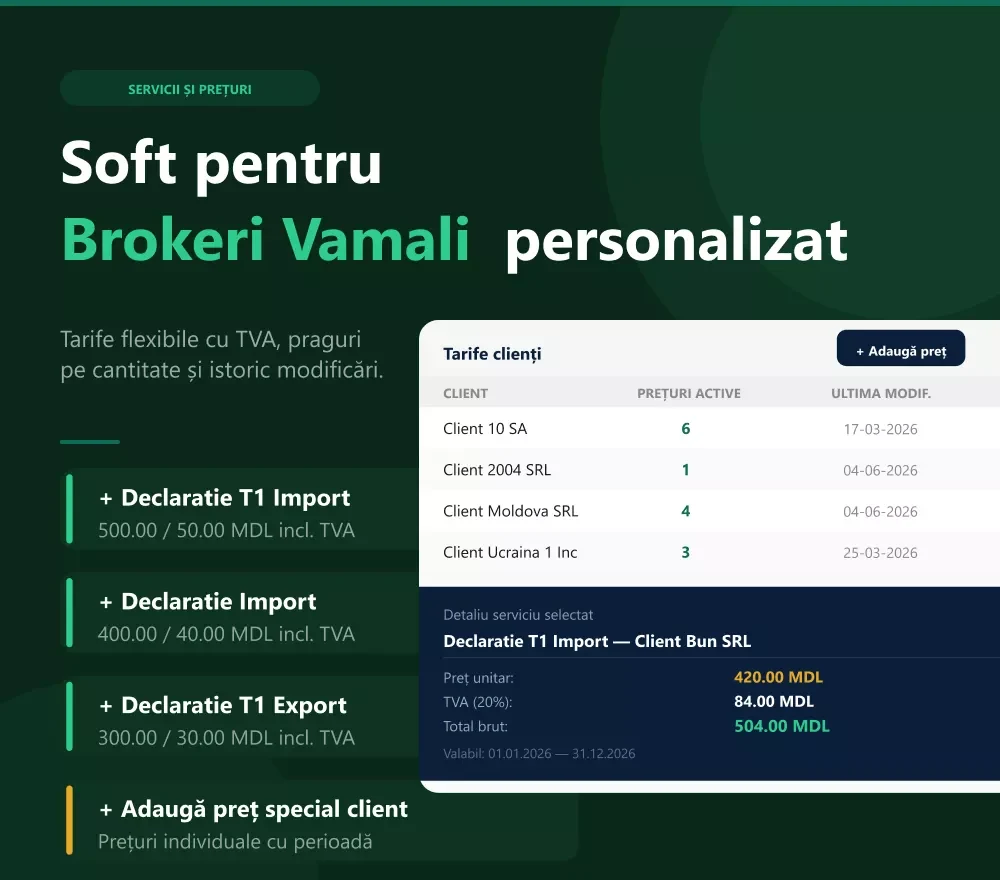
A customs fee software is suitable for companies that manage many files, documents and daily communications with customers, carriers, authorities, partners and internal departments.
For firms managing customs records, documents, customers and working statuses in an organised manner.
For teams that need clear customer records, statements, documents and processing stages.
For companies combining transport, logistics and customs formalities in a single operational flow.
For companies that want to better track documents, suppliers, goods and customs processes.
For companies that need better control over documents, deadlines and communication with partners.
For teams that have exceeded the Excel stage, local folders, separate emails and statuses discussed on WhatsApp.
In many firms, customs commission is managed by several separate instruments. Some of the information is in email, some in Excel, the documents are in folders, and the statuses are discussed on WhatsApp or phone.
This way of working can work at first, but it becomes difficult to control when the volume of files increases.
Every firm has its own way of working. Therefore, a custom software must not copy a generic system, but be built around the real processes in the company.
Evidence for customers, importers, exporters, carriers, suppliers and other partners involved in the process.
Management of client files, type of operation, status, responsibility, documents and deadlines.
Loading, organization and quick search for invoices, CMR, packing list, certificates, declarations, contracts and other required documents.
Tracking each folder according to the stage at which it is located: missing, sent, completed, invoiced or archived documents received in the verification.
Allocation of activities to team members with deadlines, priorities and notifications.
Quick view for active folders, completed folders, customers, workload, processing time and team performance.
Records for services provided, costs, charges, billing and data export status to accounting systems.
Alert for missing documents, locked files, close deadlines, separate access for the team and possible integration with ERP, CRM, billing, email or external APIs.
Excel, email and folders may be sufficient at first. But when the company grows up, problems arise: hard-to-find documents, unclear statuses, forgotten tasks, duplicate information and lost time with manual checks.
We start with understanding the real way of working, then we build a clear, user-friendly and ready-to-expand application.
We discuss how you manage your files, documents, clients, statuses, team and reporting.
We separate essential functions from those that can be added later, so that the project is effective and realistic.
We define roles, pages, flows, statuses, fields and main logic.
We implement the software in a modern, clear and easy-to-use interface for the team.
We're checking the app with concrete examples of files, documents, clients and processes.
After launch, we can make improvements, new modules, additional reports and automation.
Each file has status, responsibility, documents, deadlines and history.
The team finds the information faster and no longer checks the same things in several places.
Important files are attached directly to the file, client or operation.
You have access to reports, workload, active files and situations that require attention.
Each user knows what he has to do and what files are working.
The software can start with an MVP and can be gradually expanded with new modules.
Not every firm needs a very complex software from the beginning. In many cases, the best approach is an MVP: a first version that includes essential functions.
For a customs commission software, an MVP may include customers, folders, documents, statuses, users, simple roles and a basic dashboard.
A well-chosen MVP helps you launch faster, test software with the team and invest step by step in functions that bring real value.
Tell us how you work now, what problems occur most often and what processes you want to organize. We can propose a clear structure for the first version of the application.
We develop web applications for companies in Romania who want to better organize their internal activity. The software can be built in Romanian, with clear interface, team roles, company-adapted flows and the possibility of expansion over time.
For companies working with imports, exports, logistics, transport and customs commission, a custom system can differentiate between fragmented work and clear processes.
Depending on the project, the application can be prepared for integration with ERP, CRM, billing, email, internal systems or other APIs used in the company.
Have a question about your project?
Contact detailsIt is an application that helps customs commission firms better manage customers, folders, documents, statuses, tasks and internal reports.
It is suitable for customs commissions, customs brokers, expedition houses, logistics firms, import-export companies and internal departments working with customs documents.
Yeah. A custom software is built around the real company flows: types of files, statuses, roles, documents, reports and internal processes.
Yeah. We often recommend an MVP version with essential functions: customers, folders, documents, statuses, users and basic dashboard. The system can then be extended.
Depending on the project, the application can be prepared for integration with internal systems, ERP, CRM, billing, email or other external API.
The cost depends on modules, complexity, number of roles, reports, integrations and level of automation. For a fair estimate, a discussion about the company's processes is required.
If you need a wider solution for your company, we can develop other dedicated applications or pages for transport, logistics, expeditions and internal management.
Custom software solutions for internal processes, teams, documents, tasks and reporting.
Applications for transport companies, expedition houses, logistics, racing, documents and reporting.
Presentation websites for transport companies, logistics, expeditions and B2B services.